Production notes
From Blender sketches to a resort vision film: Tidecourt
Tidecourt is a self-initiated film for a fictional coastal resort. Its production connects a modeled spatial starting point with camera references, generated imagery and a 75-second edit. Here is what those different outputs explain—and what a developer should review when using a similar approach.
A destination built around one visual idea
The concept places two terraced resort wings around a water garden, with an open axis toward the sea. The film connects the coast, arrival, rooms, dining, pool and evening atmosphere. The aim of the concept is to make those scenes feel like parts of one place.
Materials, planting, furniture, water and light share a direction across scenes. The production notes and visual reviews establish a common starting point for the architecture and atmosphere. Tidecourt demonstrates this creative process; it is not a commissioned hotel campaign, an approved development or evidence of funds raised.
The Blender render makes the spatial choices visible
The direct Blender image shows the modeled resort, terrain, sea and intended framing. At this stage, it is possible to discuss the relationship between the wings, the courtyard and the coast without confusing a photographic finish with a design decision.
For a commissioned project, this is a useful place to compare the working scene with the client’s current references. If no approved architecture exists, the image remains a concept. A convincing render alone cannot establish that a layout is feasible or approved.
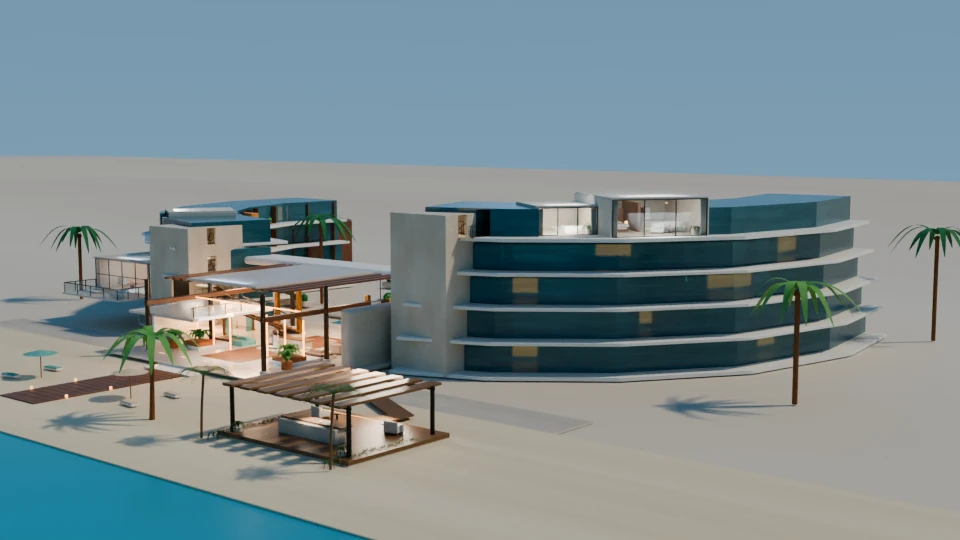
The camera preview explains movement through the scene
The direct Blender video provides a camera-and-lighting guide. Its intentionally lightweight appearance keeps attention on the shot sequence and spatial intention. It is a working preview, not the finished marketing film.
When reviewing a camera sketch, ask whether the important spaces are legible, whether the movement reveals the intended relationship and whether the shot earns its place in the presentation. A still can be attractive while a moving view raises different questions about what is being shown. The Tidecourt case page includes the direct camera preview alongside the resulting coastal sequence.
Generated imagery develops the photographic interpretation
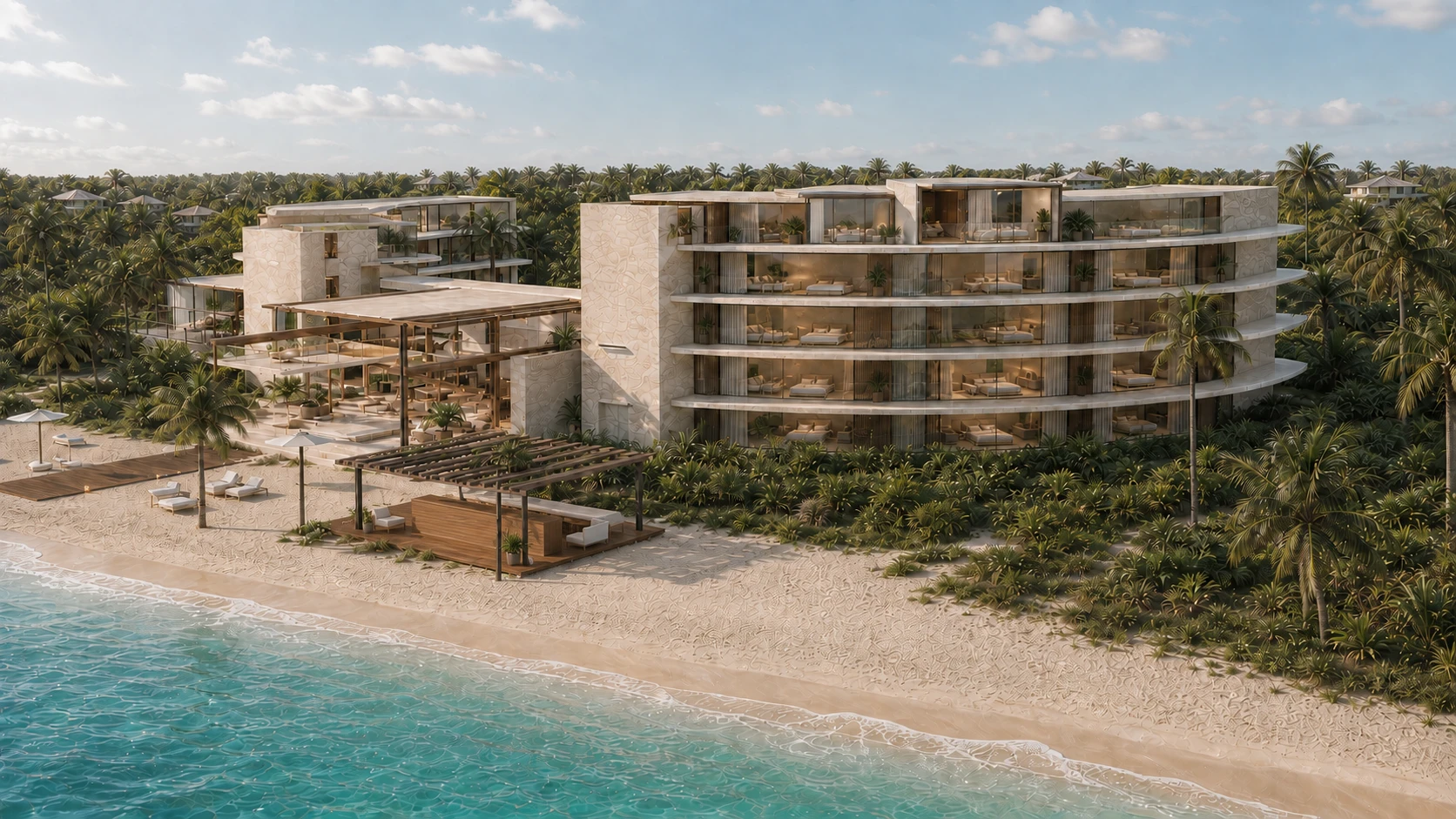
The generated coastal image explores material, daylight and a tropical setting using the production references. Its role differs from the direct Blender render: it develops atmosphere and a photographic treatment rather than proving a precise match to the modeled geometry.
Review structure, openings, furniture, materials, landscape and views when accuracy matters. Generation can change those details. For design-critical output, the brief needs a controlled 3D approach or an explicitly validated process, with the client checking the relevant design information.
The edit connects individual views into a guest experience
The completed Tidecourt concept film runs for 75 seconds. The edit connects the destination to spaces and moments within it, rather than treating every frame as a separate architectural image. The case page presents the full film, selected stills and production stages.
A film can introduce a place while individual stills support the discussion that follows. In a developer’s deck, the relevant images might accompany the spaces being discussed. Their captions should make clear which features are confirmed and which are illustrative. The imagery should not be used as proof of construction status or financial performance.
What to carry into your own hotel film brief
Begin with the decision your presentation needs to support and identify the spaces that explain the concept. Share the current design material if it exists, or a written brief and references if it does not. Agree the boundaries between faithful representation and visual exploration before production.
The examples here show a production relationship, not a mandatory approval waterfall. Sketches, images and motion can develop alongside one another, with consolidated feedback across the working assets. A clear direction and a record of what has been validated help the final film and image set stay consistent.
- Use Blender renders to discuss structure and framing.
- Use camera previews to discuss movement and the role of a shot.
- Review generated images for atmosphere and any changed details.
- Agree the film, stills and presentation uses as one scoped handover.
Use the hotel vision film briefing checklist to turn those decisions into a project brief.